User name
Change the display name shown within the service.
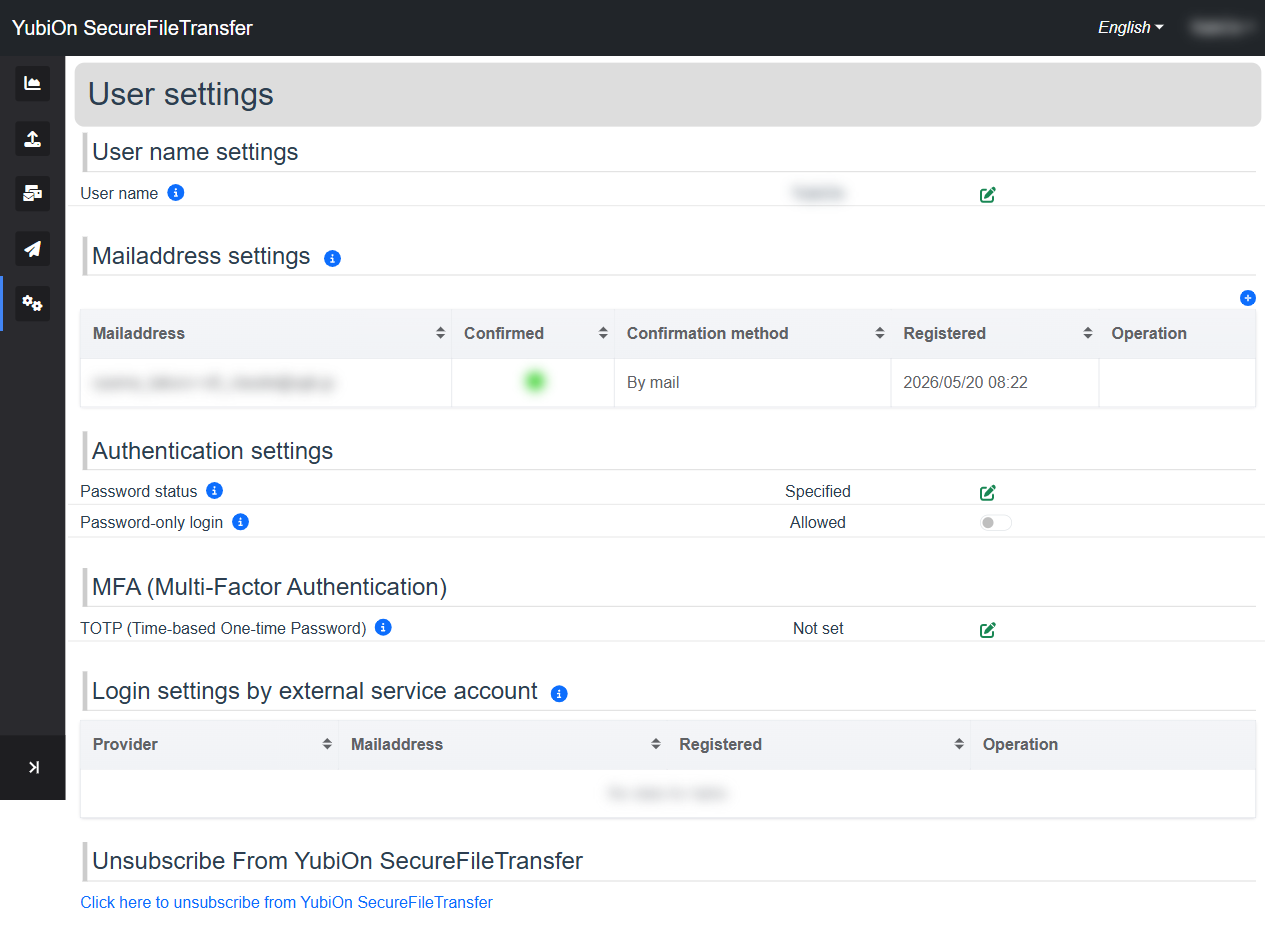
How to Change
Click the edit icon (pencil) in the "User name" section of User settings
The username change dialog opens
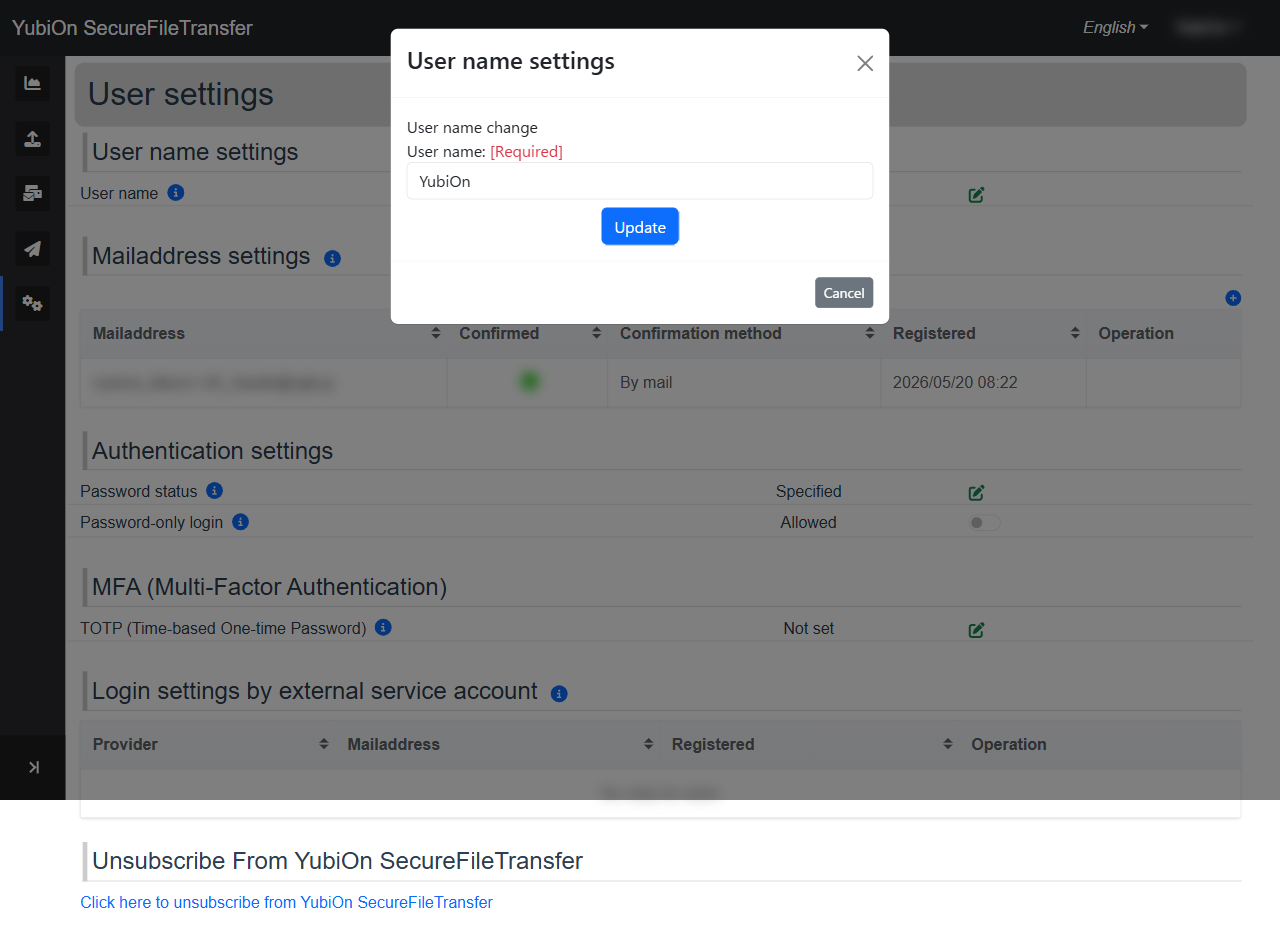
Enter the new username
Field Limit User name Up to 64 characters · Required Click the "Update" button
Click "OK" in the confirmation dialog
A success notification is displayed
TIP
Your username is not used for login. It is only used as a display name within the service.