Dashboard
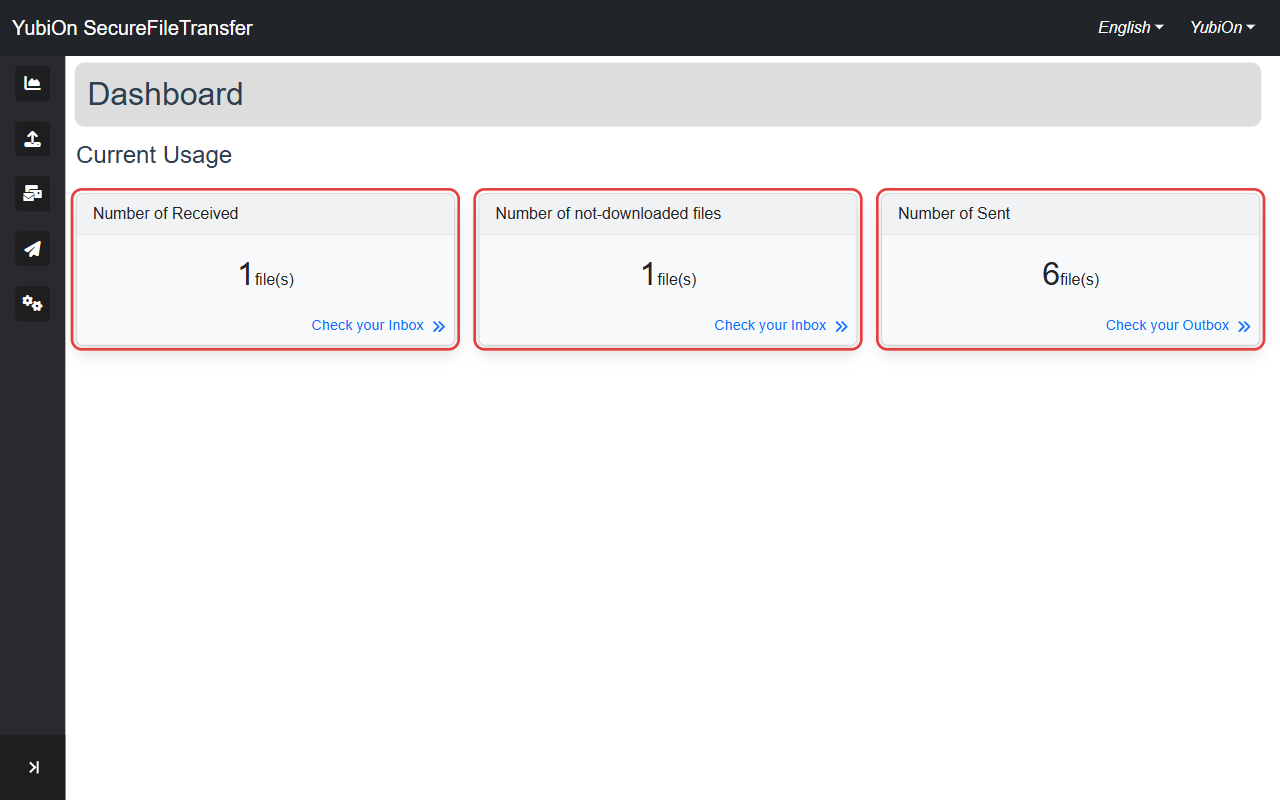
The home screen displayed after login. Provides an at-a-glance view of your file transfer activity.
Screen Layout
Organization Info (when a member of an organization)
Your organization name and your role within it are displayed at the top of the screen.
Activity Cards
Three cards show your current status.
| Card | Description |
|---|---|
| Number of Received | Number of files received within their expiration date |
| Number of not-downloaded files | Number of received files not yet downloaded |
| Number of Sent | Number of files sent within their expiration date |
Click the link on each card ("Check your Inbox" for the Received and Not-downloaded cards, "Check your Outbox" for the Sent card) to navigate to the corresponding list screen.
TIP
Files past their expiration date are not included in the counts.
Navigating to Other Screens
Use the sidebar on the left to navigate to any feature.
| Sidebar Item | Destination |
|---|---|
| Dashboard | Dashboard (this screen) |
| Upload | Send Files |
| Inbox | Inbox |
| Outbox | Outbox |
| User settings | User Settings |