Inbox
View a list of files sent to you.
Open this screen from "Inbox" in the sidebar.
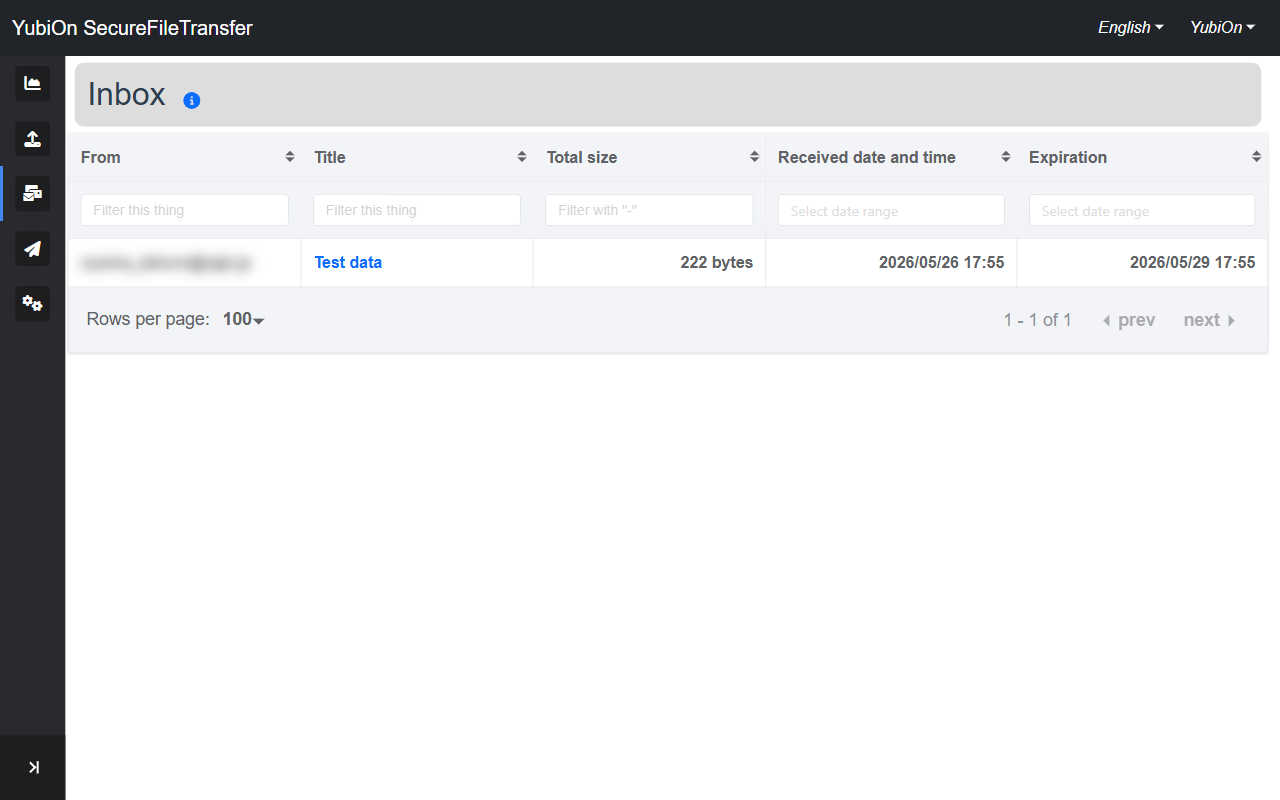
List Columns
| Column | Description |
|---|---|
| From | Email address of the user who sent the file |
| Title | File set title (click to open the detail screen) |
| Total size | Combined size of all files |
| Received date and time | Date and time the file was sent |
| Expiration | Expiration date of the download URL |
Undownloaded Files
Files that have not yet been downloaded are shown in bold.
Expired files
Files past their expiration date are displayed in grey and cannot be downloaded.
Filtering
Each column has a filter input field.
| Column | How to filter |
|---|---|
| From | Partial text match |
| Title | Partial text match |
| Total size | Numeric range (e.g. 100-500) |
| Received date and time | Date range picker |
| Expiration | Date range picker |
Pagination
Pagination is displayed at the bottom of the list. The number of rows per page can be changed and is saved in your browser.
Display Range
INFO
On the free plan, only files within their expiration date are displayed.
On paid plans, expired file history is also shown.