Account Deletion
How to delete (close) your account.
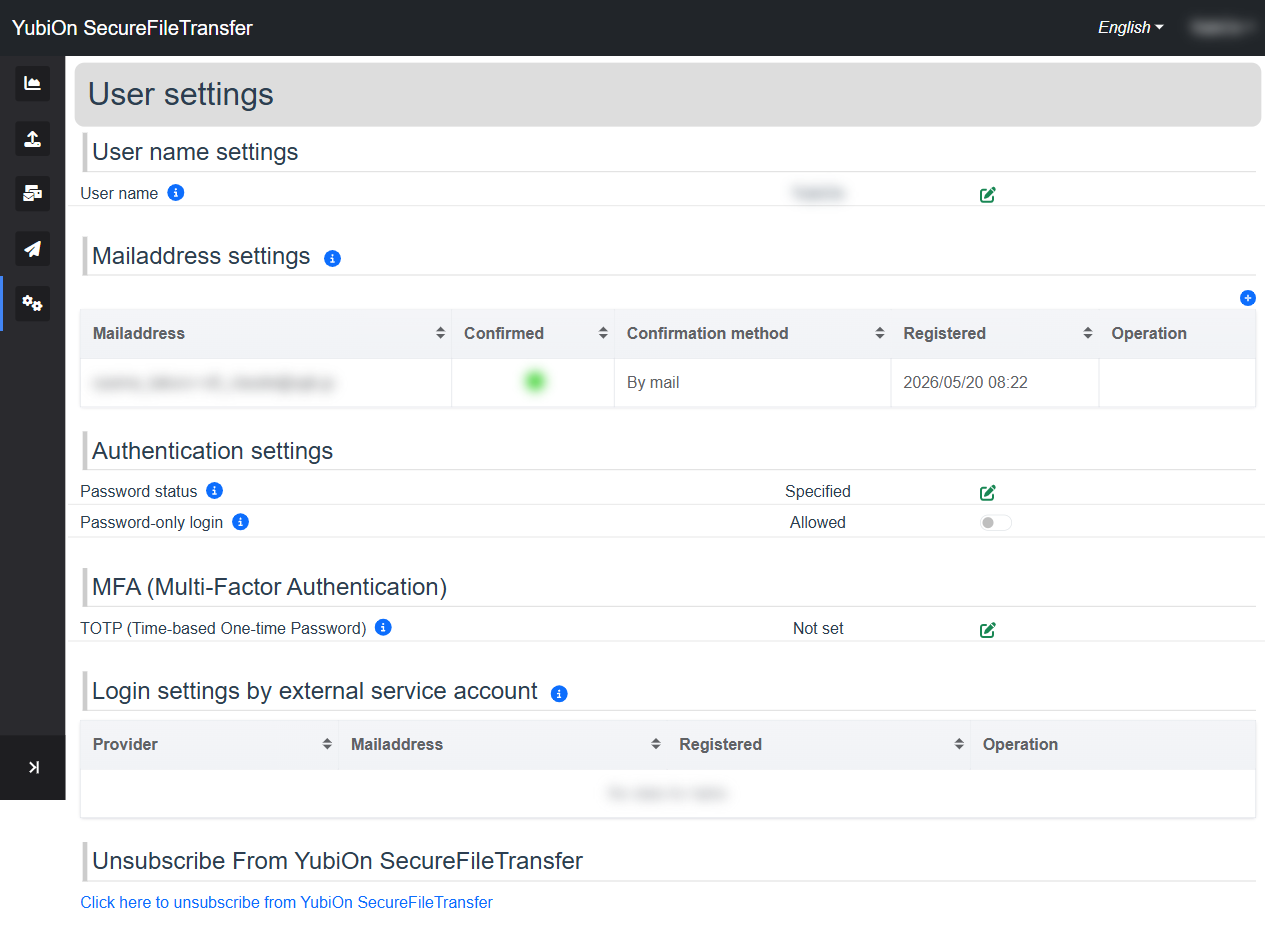
Account deletion cannot be undone
Deleting your account permanently removes all account data. This action cannot be reversed.
Requirements
You must not be a member of any organization to delete your account.
If you are currently a member of an organization, the deletion link will not be shown and the following message will appear:
You cannot unsubscribe while belonging to an organization. Please leave or dissolve the organization first.
Please leave the organization before proceeding with account deletion.
If you are the organization owner, you must first transfer ownership to another member or delete the organization.
Steps to Delete Your Account
Click the "Click here to unsubscribe from YubiOn SecureFileTransfer" link in the "Unsubscribe From YubiOn SecureFileTransfer" section of User settings
The account deletion confirmation screen is displayed
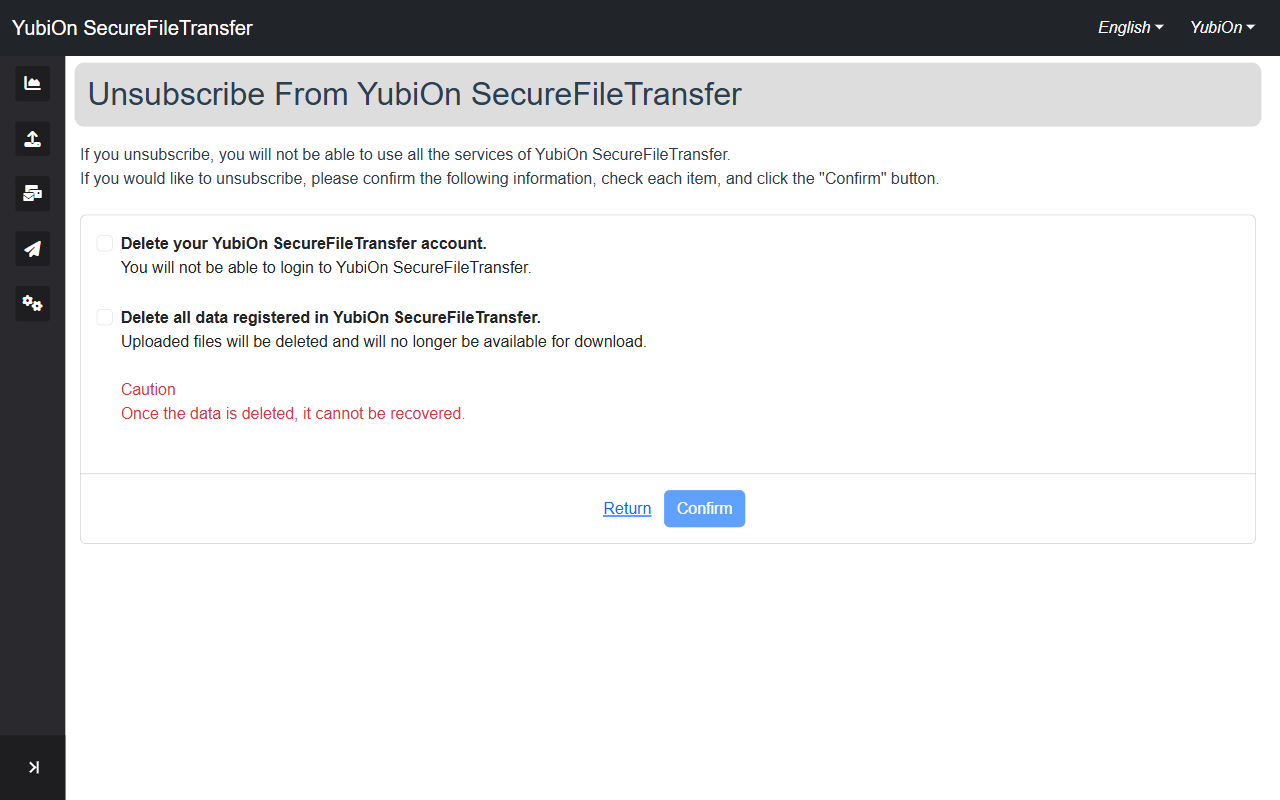
Follow the instructions to complete the deletion process
WARNING
After deletion, you will no longer be able to log in. All sent and received file data will also be permanently deleted.