Organization Settings
Change your organization's basic information or dissolve the organization.
All actions are performed from the Organization Dashboard.
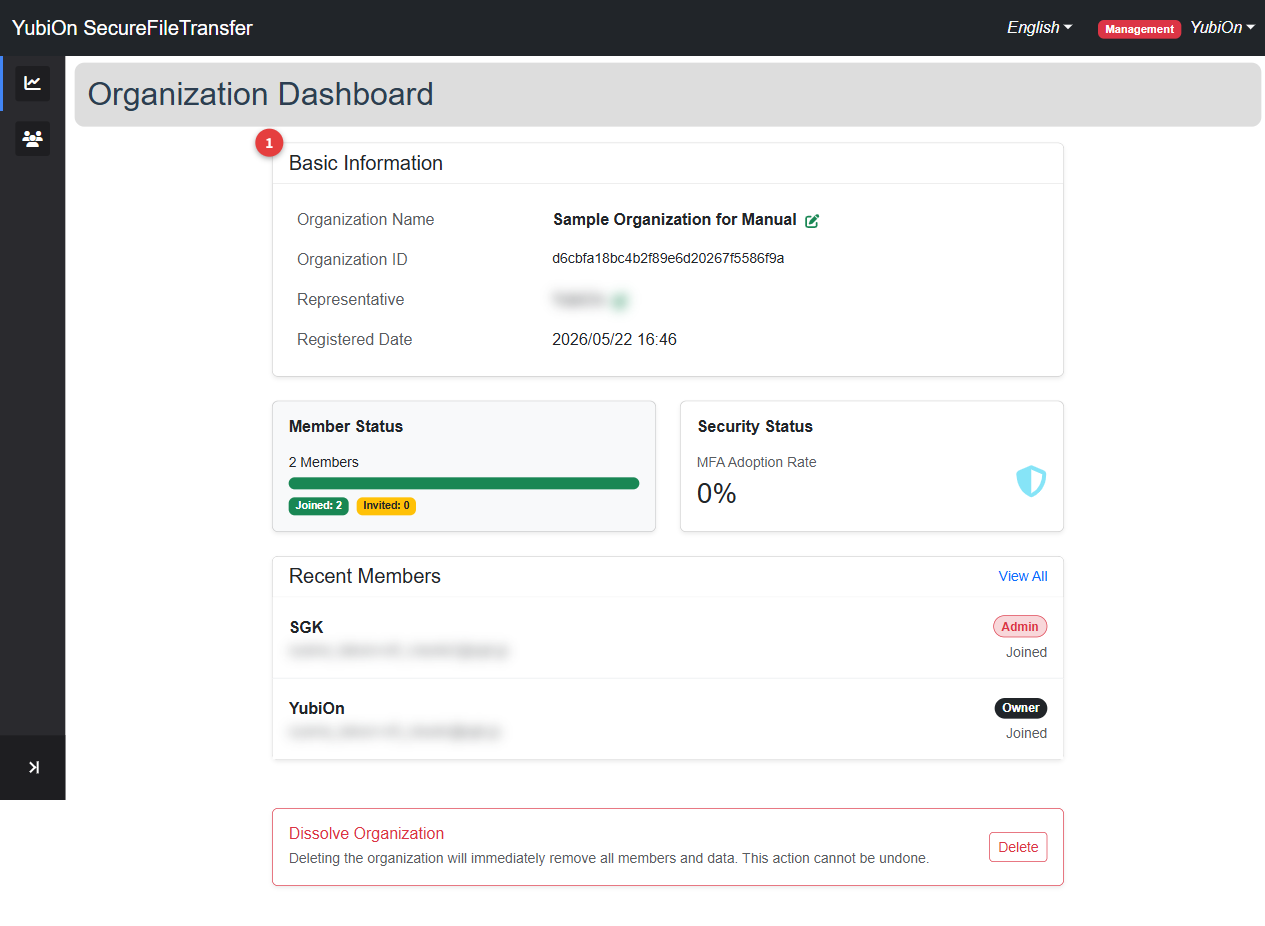
Changing the Organization Name
Required role: Admin or above
Click the edit icon next to "Organization Name" on the organization dashboard
The organization name change dialog opens
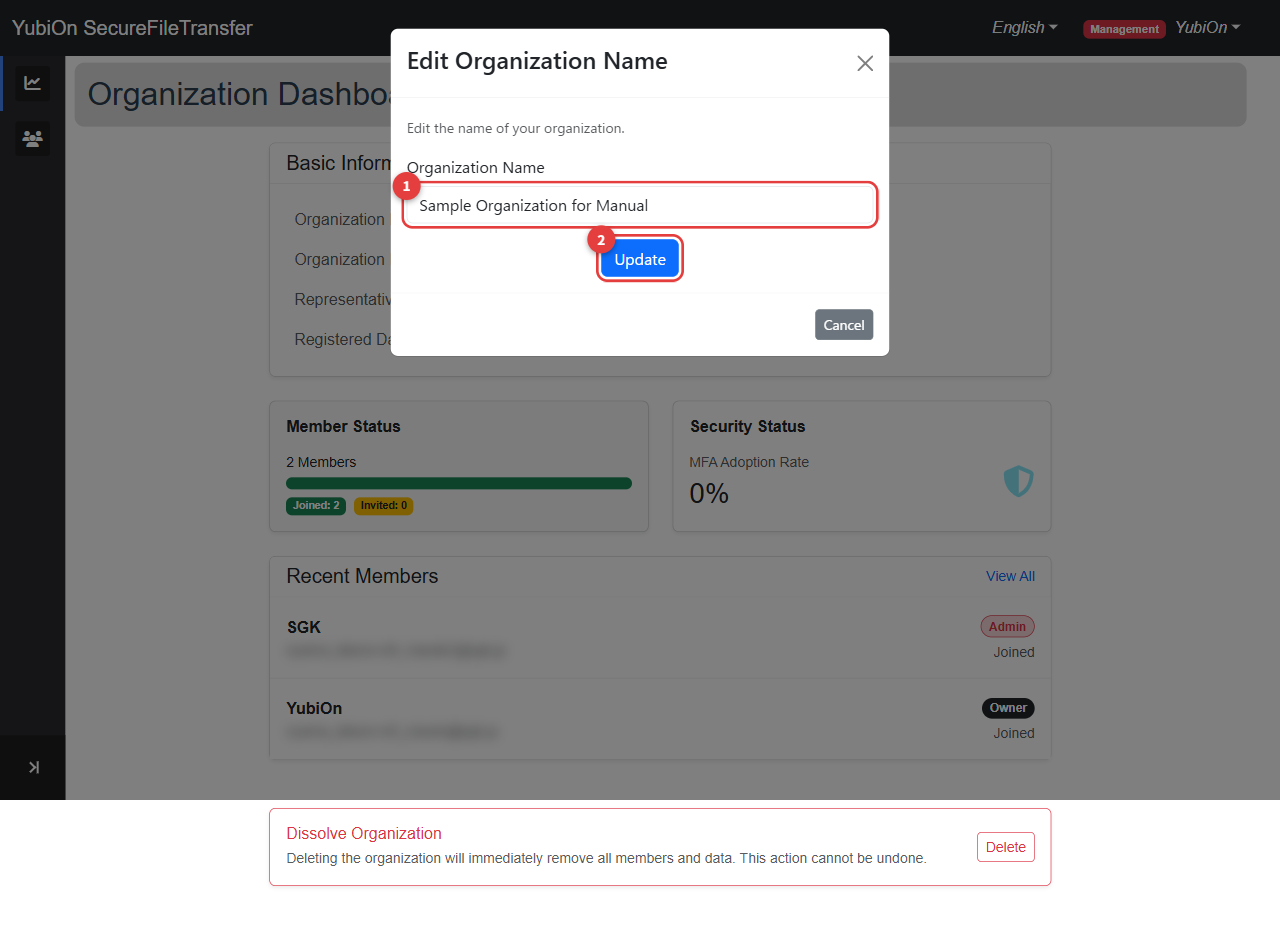
Enter the new organization name
Field Limit Organization name Up to 128 characters · Required Click the "Update" button
Click "OK" in the confirmation dialog
Changing the Owner
Required role: Admin or above
Transfer the Owner role to a member who currently holds the Admin role.
Click the edit icon next to "Representative" on the organization dashboard
The owner change dialog opens
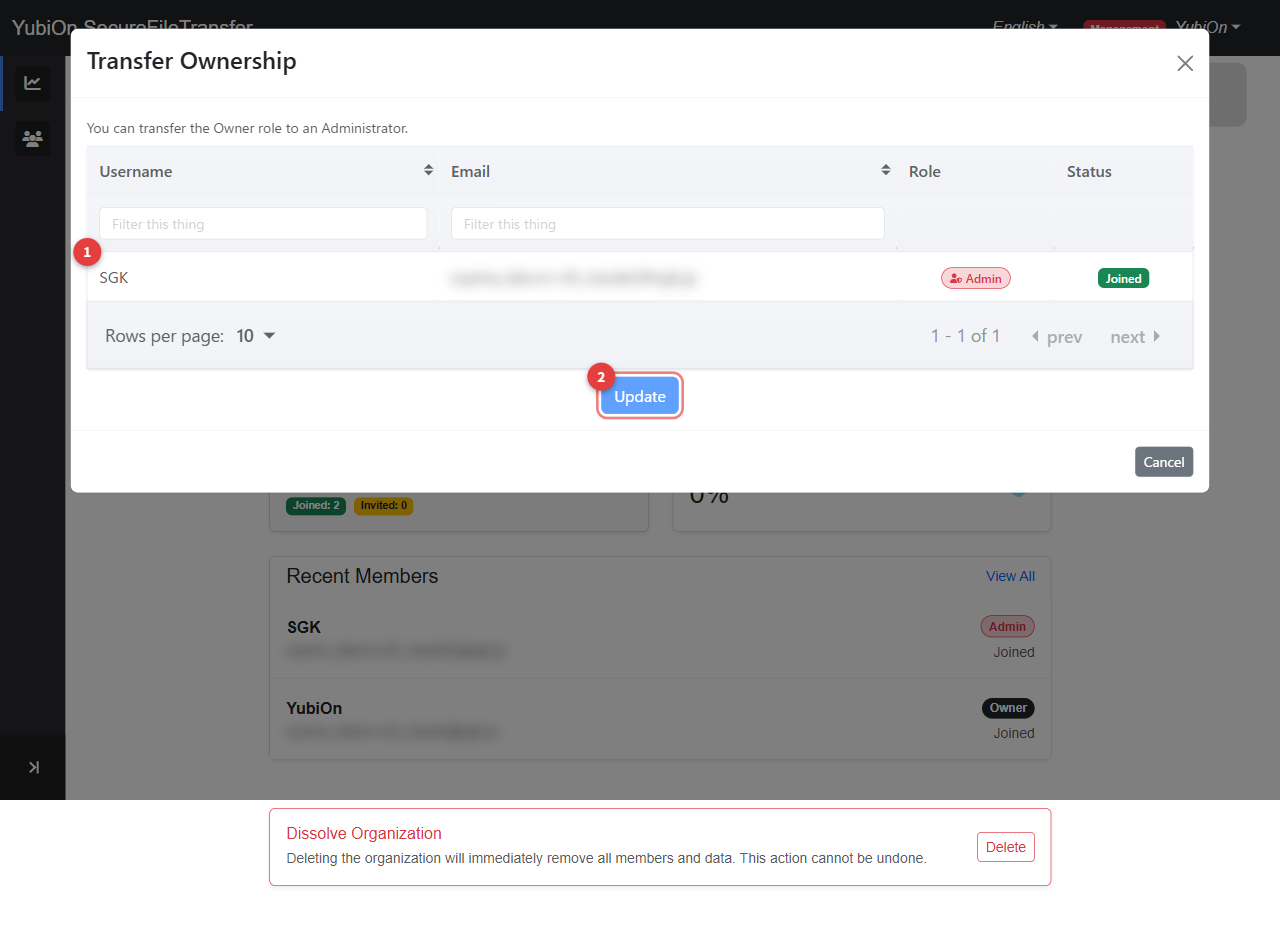
A list of members with the Admin role is displayed
Click the row of the member you want to make the new Owner (the selected row is highlighted)
Click the "Update" button
Click "OK" in the confirmation dialog
Role changes after ownership transfer
When ownership is transferred, the previous Owner is demoted to Admin.
The newly designated Owner is promoted to Owner.
Who can become Owner
Only members who are Admin role and already joined can be selected as the new Owner.
Members with a pending invitation (not yet joined) are not shown.
Dissolving the Organization
Required role: Owner only
Delete the organization.
- Click the "Delete" button at the bottom of the organization dashboard
- Click "OK" in the confirmation dialog
- The organization is deleted and you are redirected to the organization creation screen
Dissolution cannot be undone
Dissolving the organization removes all members from the organization and deletes organization-related data (organization name, member roles, etc.).
This action cannot be reversed.
Regarding file transfer information
Dissolving the organization does not affect the file transfer history or uploaded files performed by organization members. Each user can continue to view their own history.
Before dissolving
- It is recommended to notify all members in advance