Creating an Organization
Create a new organization. The user who creates the organization is automatically set as Owner.
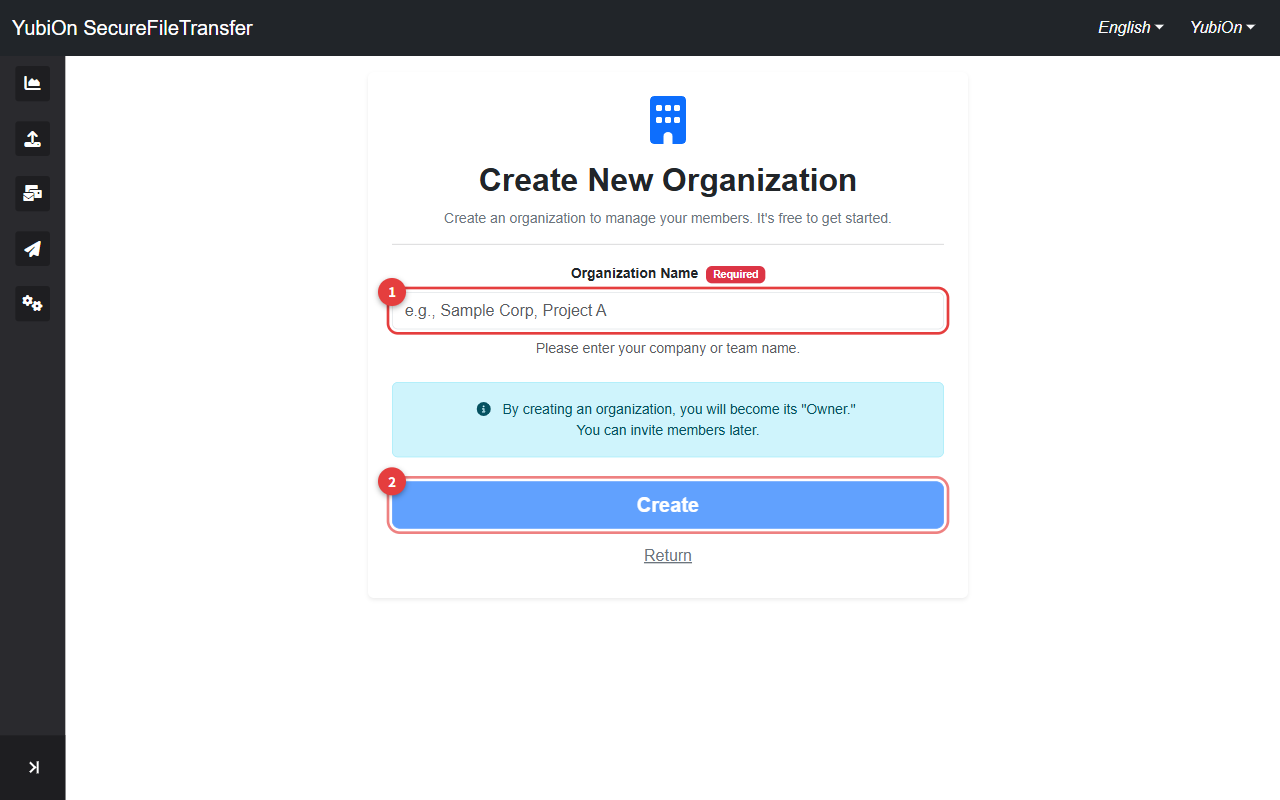
Steps
After logging in, the organization creation screen is displayed (first-time users are guided here automatically)
Enter the organization name
Field Limit Organization name Up to 128 characters · Required Click the "Create" button
Click "OK" in the confirmation dialog
After creation, you are redirected to the dashboard
Creating an Organization While a Pending Invitation Exists
If you have a pending invitation from another organization, a notification appears at the top of the creation screen.
- To accept the invitation instead: Click "Confirm" in the notification
- To proceed with creating a new organization: Continue as normal. However, creating a new organization will automatically cancel any pending invitations
WARNING
Pending invitations cannot be accepted after a new organization is created. Decide whether to accept the invitation first.
Error Reference
| Error | Cause | Solution |
|---|---|---|
| Failed to create | Server error | Wait a moment and try again |