Organization Dashboard
The management screen showing an overview of your organization's status.
Open this screen from "Organization Dashboard" in the sidebar.
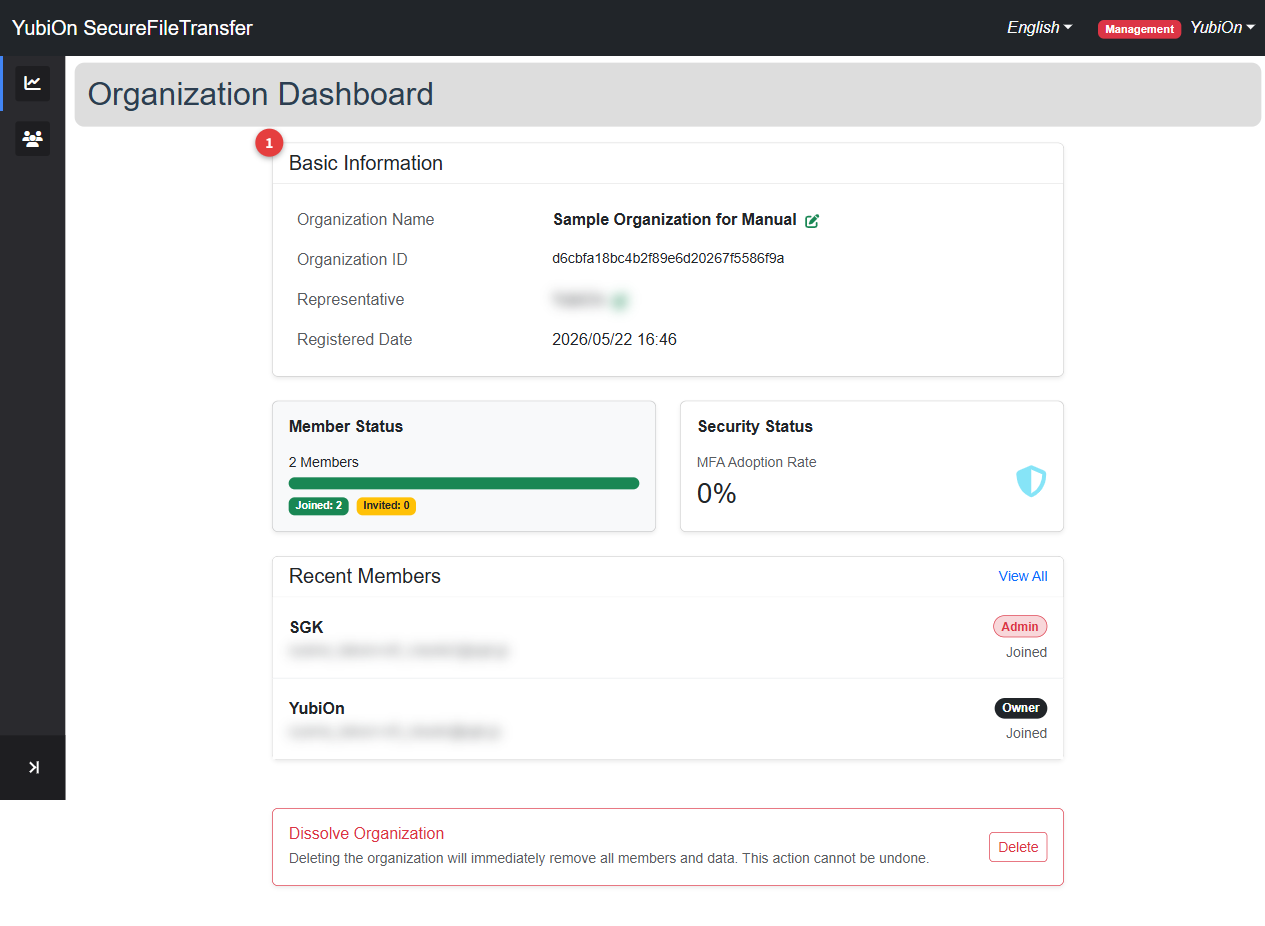
Basic Information
| Field | Description | Action |
|---|---|---|
| Organization Name | Name of the organization | Edit icon (Admin or above) |
| Organization ID | Unique identifier (read-only) | — |
| Representative | Username of the Owner | Edit icon (Admin or above) |
| Registered Date | Date and time the organization was created | — |
Member Status
A progress bar shows the current membership status.
| Item | Description |
|---|---|
| Total Members | Total number of registered members (joined + invited) |
| Joined | Members who have accepted their invitation (green bar) |
| Invited | Members with a pending invitation (yellow bar) |
Security Status
| Item | Description |
|---|---|
| MFA Adoption Rate | Percentage of members with multi-factor authentication (TOTP) enabled (%) |
Recent Members
Displays up to 5 of the most recently joined members.
Click "View All" to navigate to the Member List.
| Column | Description |
|---|---|
| Name | Username |
| Email address | |
| Role | Owner / Admin / Member |
| Status | Joined / Invited |