Step 4: Receive Files
When a sender shares a download URL with you, you can download the file.
Receiving Flow
Method A: Download directly from URL
   └─ Open the received URL → Click the download button

Method B: Download from the Inbox
   └─ Open "Inbox" in the sidebar
   └─ Click the received file → Download
Method A: Download Directly from a URL
- Open the download URL received from the sender
- File information (title, expiration date, etc.) will be displayed
- Click the "Download" button
- A ZIP file will be downloaded
Login may be required
If the sender specified email addresses for the file, login is required to download. Log in with the specified email address before downloading.
If the sender chose "Unlimited," you can download without logging in.
Method B: Download from the Inbox
Files sent to your logged-in account can be found in the Inbox.
Click "Inbox" in the left sidebar
A list of received files will be displayed
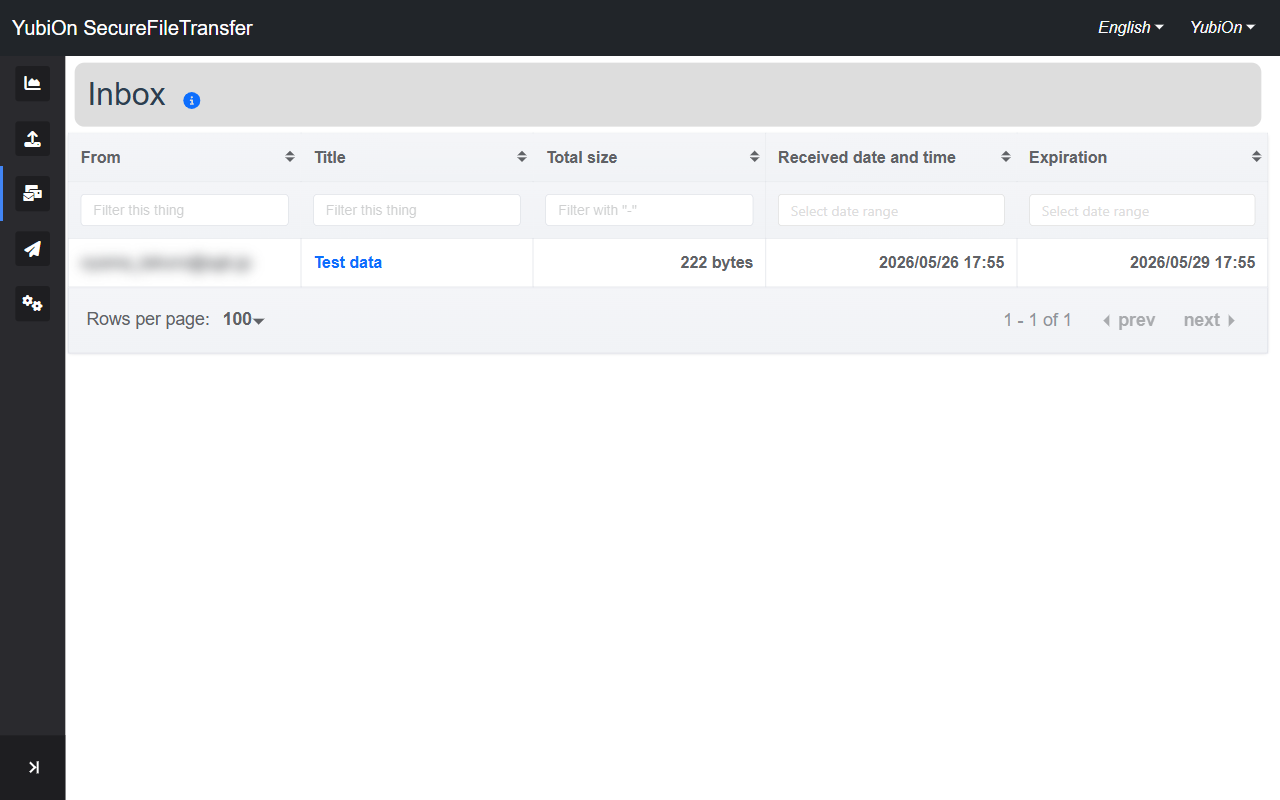
Column Description From Email address of the user who sent the file Title Name of the file set Total size Total file size Received date and time Date and time the file was received Expiration Deadline for downloading Click the title of the file you want to download
The file detail screen will appear
Click the "Download" button
A ZIP file will be downloaded
Undownloaded files are shown in bold
Files you have not yet downloaded are displayed in bold in the list.
Expired files
Files past their expiration date cannot be downloaded. Please ask the sender to resend the file.
Extract the File
Downloaded files are in ZIP format. Use your OS's built-in tools or an extraction app to unzip.
If the sender selected Encryption, you will be prompted for a password when extracting. Contact the sender for the password.
Check Receive Status on the Dashboard
The dashboard shows an overview of your received files.
| Card | Description |
|---|---|
| Number of Received | Number of received files within their expiration date |
| Number of not-downloaded files | Number of files not yet downloaded |
| Number of Sent | Number of sent files within their expiration date |
This completes the Quick Start guide. For more detailed instructions, please refer to the individual manuals.