Step 1: User Registration
To use YubiOn SecureFileTransfer, you first need to create a user account.
Registration Flow
1. Access the registration page
      ↓
2. Agree to the Privacy Policy
      ↓
3. Choose a registration method
   ├─ Register with Google (ready to use immediately)
   └─ Register with email address (confirmation email sent)
         ↓
4. Registration complete → Proceed to login
1-1. Agree to the Privacy Policy
When you access the registration page, the Privacy Policy will be displayed. Please read it carefully and agree to proceed.
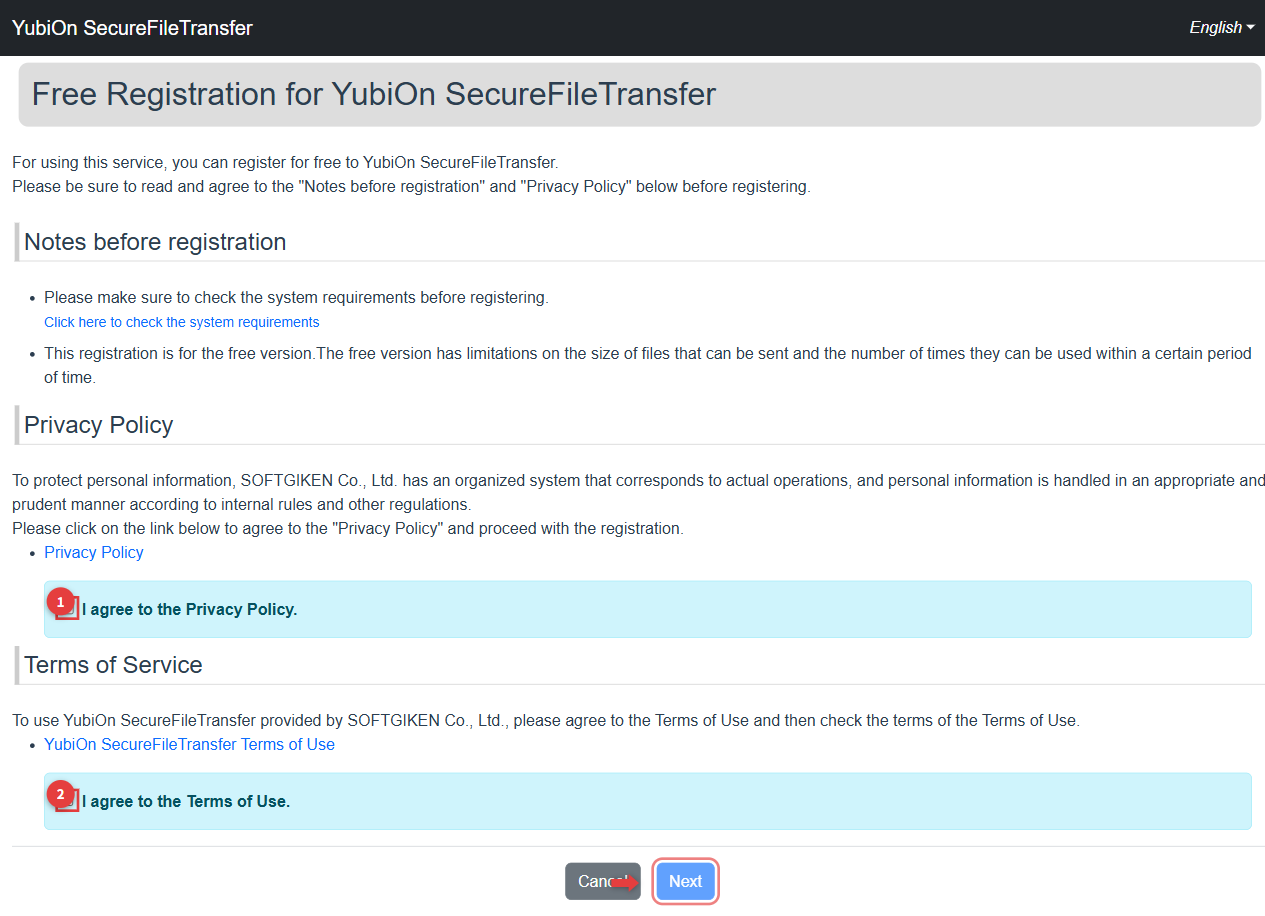
1-2. Choose a Registration Method
After agreeing to the Privacy Policy, you will see the registration method selection screen.
Method A: Register with Google
If you have a Google account, this is the easiest method.
- Click the "Sign in with Google" button
- Follow the instructions on the Google authentication screen
- After authentication, you will be automatically registered
TIP
If you register with a Google account, email address verification is not required. You can log in and start using the service right away.
Method B: Register with Email Address
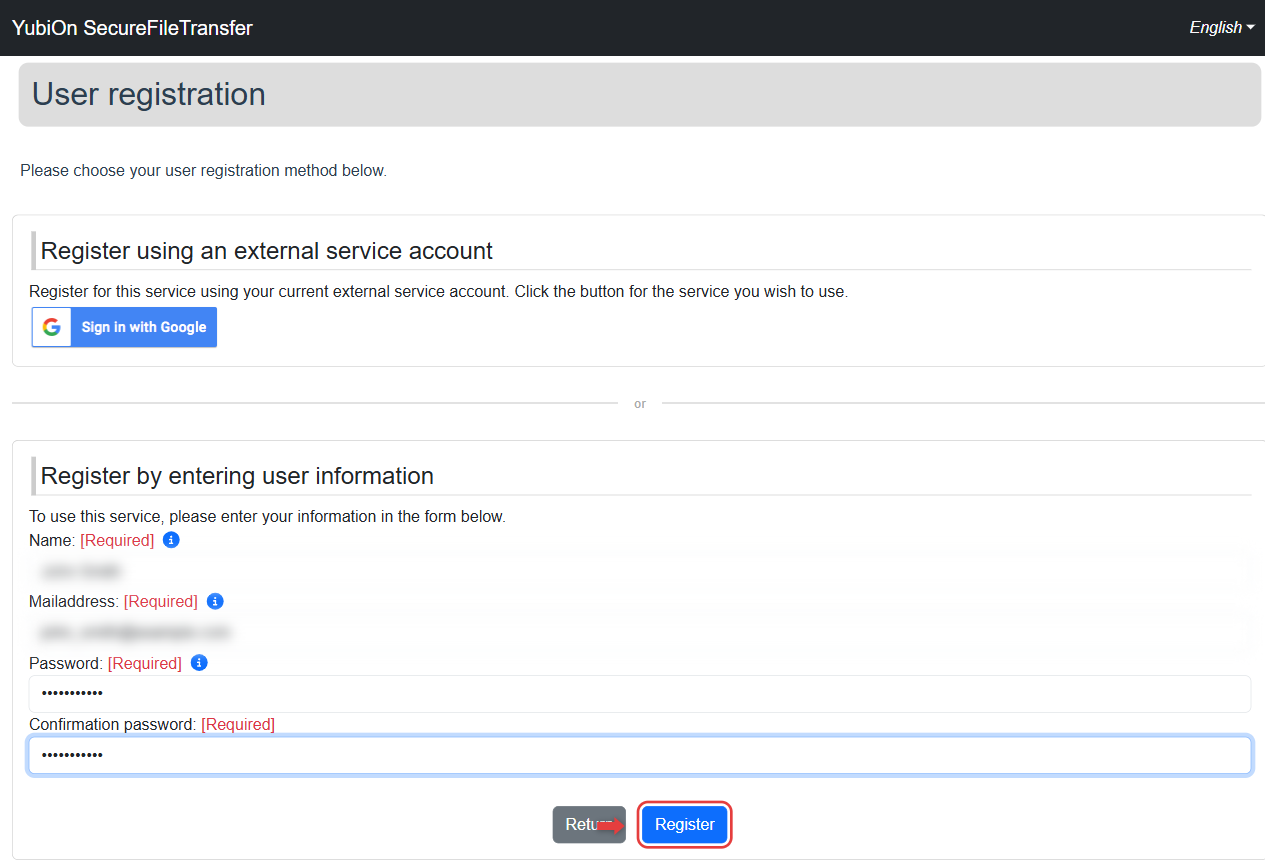
Enter the following information
Field Description Limit Name Your display name in the service Up to 64 characters, required Mailaddress The address used to log in Up to 128 characters, required Password Your login password 8–60 characters, required Confirmation password Re-enter the same password Required Click the "Register" button
Click "OK" in the confirmation dialog
If the email address is already registered
The message "This email address is already registered." will be displayed. Please use a different email address or log in from the login page.
1-3. Email Address Verification (for email registration)
When you register with an email address, a verification email will be sent.
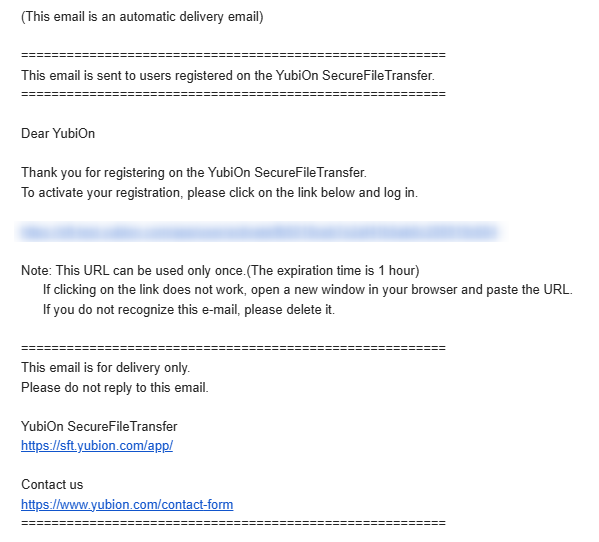
- A verification email will be sent to the registered address
- Click the verification URL in the email
- The login page will appear — log in with your registered email and password
- Email verification is complete and your registration becomes active
Verification URL Expiration
The verification URL has an expiration date. If it expires, please register again.
Troubleshooting
| Error Message | Cause | Solution |
|---|---|---|
| This email address is already registered | The email is already in use | Use a different address or log in |
| Failed to send email | Invalid address or send error | Check the email address and re-register |
| Failed to register user | Server error | Wait a moment and try again |
| Email verification URL has expired | Verification URL has expired | Register again |
Registration is complete. Proceed to login next.